
Backup and Restore
Create and restore Livebound database backups without carrying account credentials.
Livebound’s database backup protects application state. It is separate from backups of your image folders and archive.
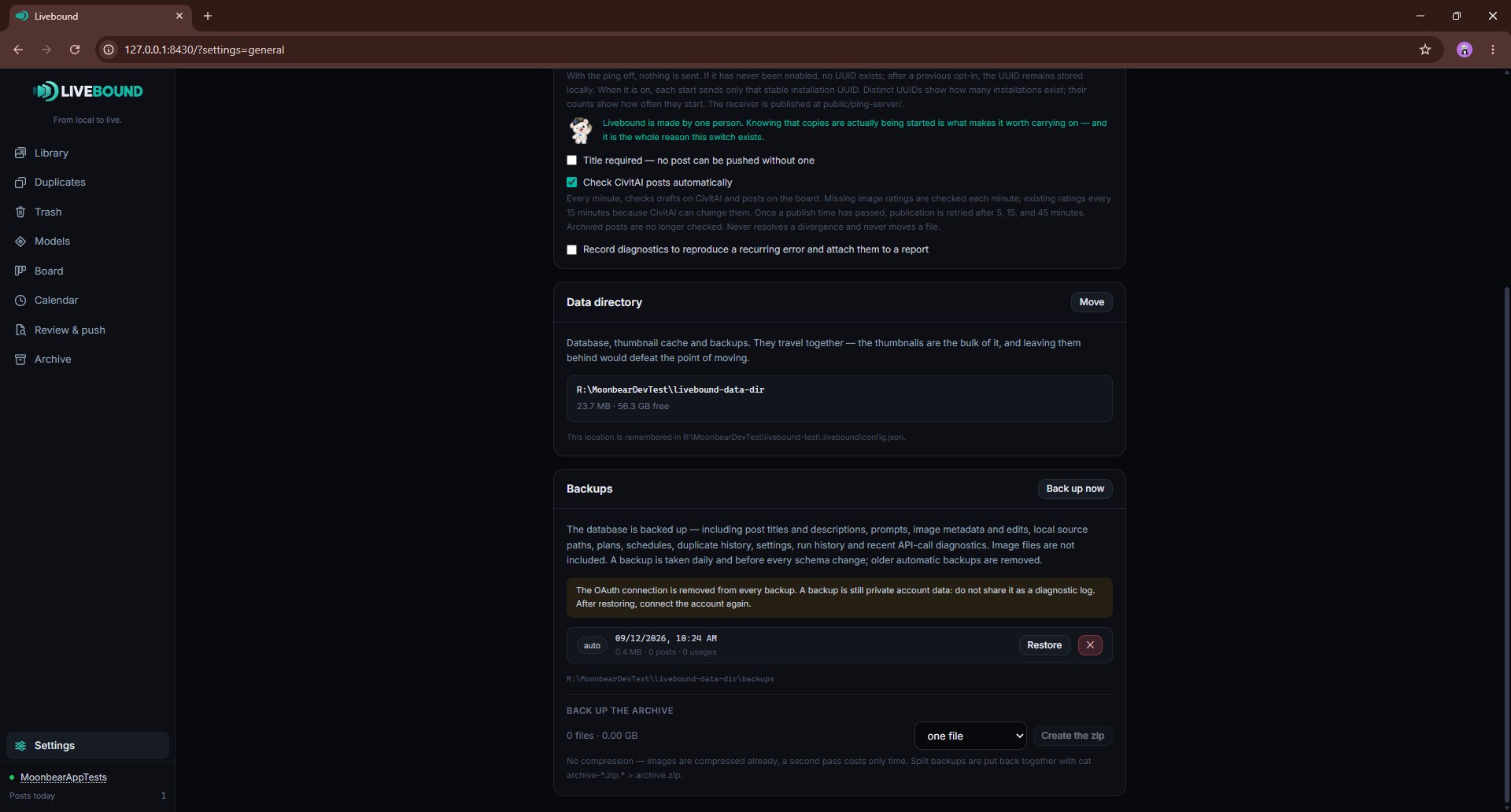
What the database backup contains
A database backup can contain private local state such as:
- post titles and descriptions;
- prompts, generation metadata and saved edits;
- source and archive paths;
- schedules and plans;
- duplicate history;
- settings;
- publishing run history and recent API-call/diagnostic records stored in the database.
It does not contain the image files themselves.
Treat a backup as private data even though it contains no Livebound OAuth connection.
Credentials are removed
Livebound removes its CivitAI OAuth credentials from every database backup. After restoring a backup, connect the CivitAI account again.
Automatic and manual backups
Livebound creates an automatic backup daily and takes one before a database schema migration. Older automatic backups are pruned; manual backups are kept until you delete them.
Use Back up now when you want an additional manual checkpoint.
Restore
Restoring replaces the current Livebound database state with the selected backup. Before doing so, Livebound takes a safety backup of the current state.
Image files in source, trash, adopted, or archive folders are not replaced by a database restore.
After restore:
- reconnect the CivitAI account;
- verify configured paths still exist on this machine;
- scan sources if files have changed since the backup was made;
- reconcile remote post state before making destructive remote changes.
First-start import
The first-start wizard can import a Livebound database backup up to 512 MiB. It validates that the file is a usable Livebound SQLite database before continuing.
Deleting a backup
Backup deletion is permanent and requires typed confirmation.
Do not attach a database backup to a public bug report. Use the diagnostics log instead.