
Models and Resources
Resolve checkpoints, LoRAs, and CivitAI resources connected to your images.
Livebound can connect generation metadata to CivitAI resources so a post carries the attribution available from the source image and your review.
Resource types
The resource workflow understands common generation resources including:
- checkpoints;
- LoRAs and related LoRA-style formats;
- embeddings / textual inversions;
- upscalers.
Local model folders
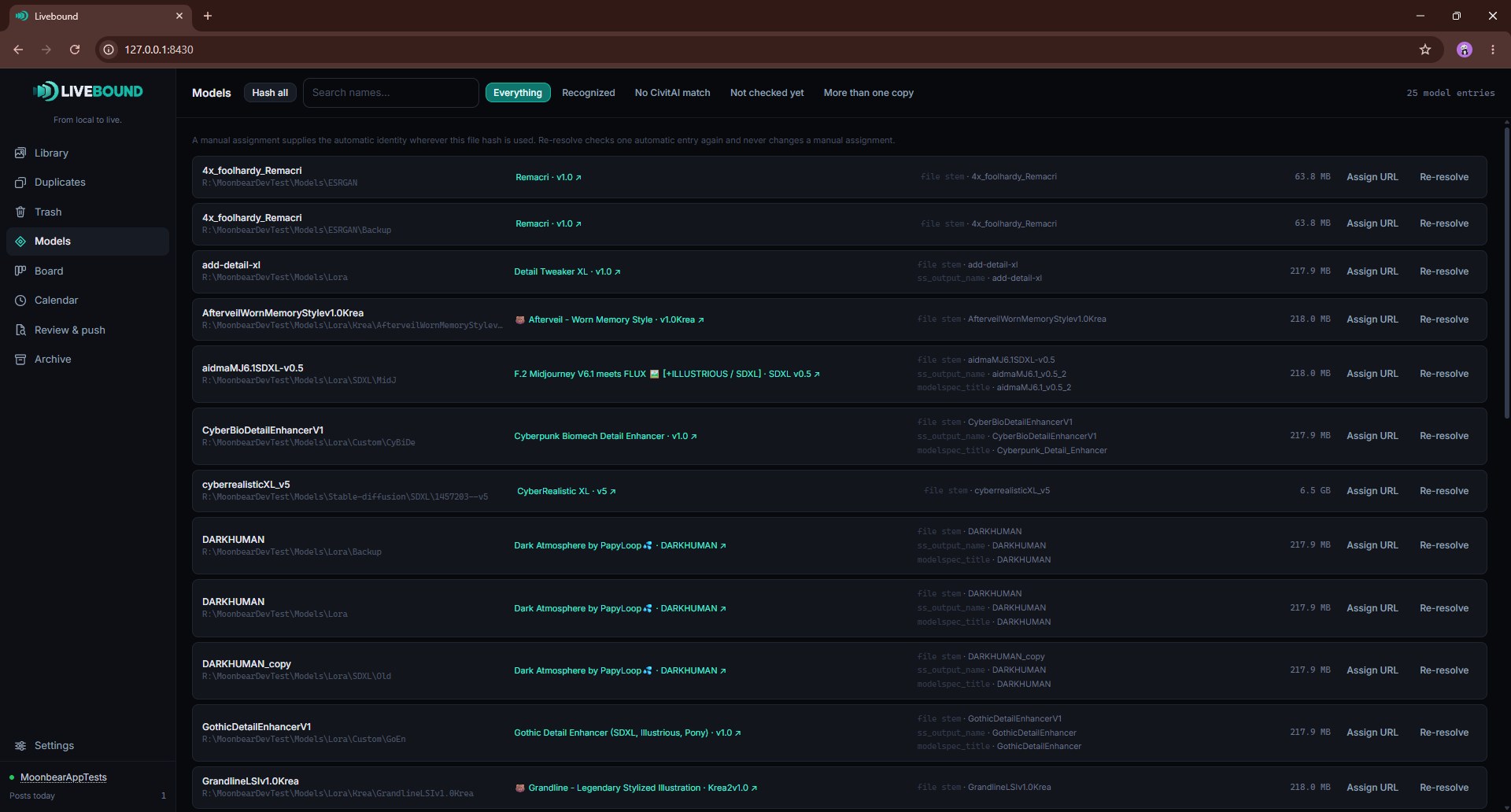
Add model folders in Settings → Models and resources. Livebound scans them recursively, hashes recognised model files, and records whether the local file can be linked to a CivitAI model version.
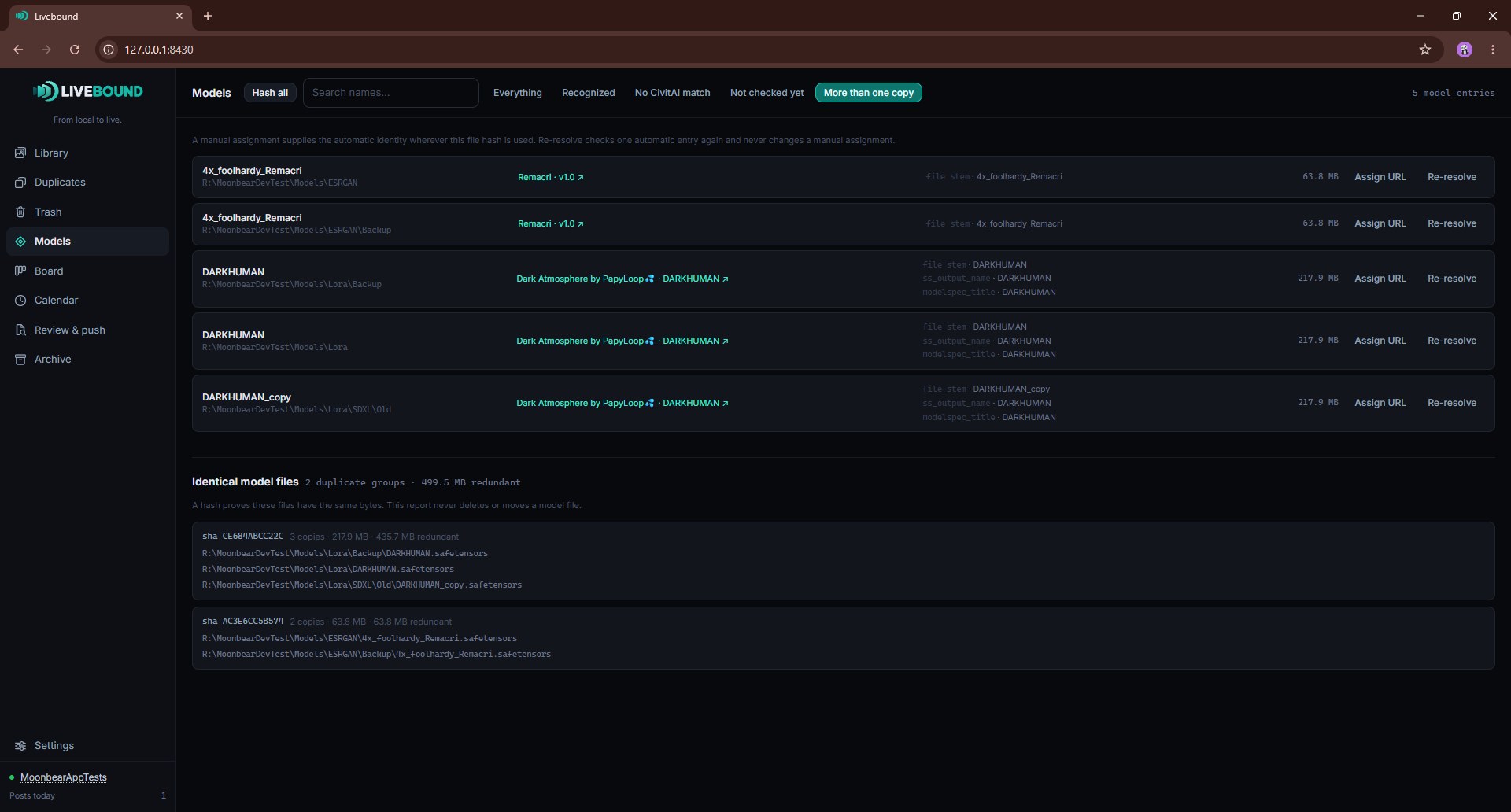
The model inventory can show recognised, unresolved and duplicate local files. Livebound reports redundant model copies; it does not delete model files for you.
A model folder can be set to Watch as well, which checks it every 15 minutes. A watched run hashes new or changed files, resolves their identities, and forgets records for files that vanished. The sweep over resources your library still cannot identify belongs to the button, not to the timer.
Matching to CivitAI
Where a resource carries a usable hash or CivitAI identity, Livebound can resolve it against CivitAI. An unresolved item can also be assigned manually with a CivitAI model-version URL.
Resource lookup never happens during a library scan: a scan reads your folders and asks CivitAI nothing. It happens when you hash your model folders, during a watched model-folder check after you enable Watch, and when you build a post out of images whose resources are still unknown.
Adding a resource by hand
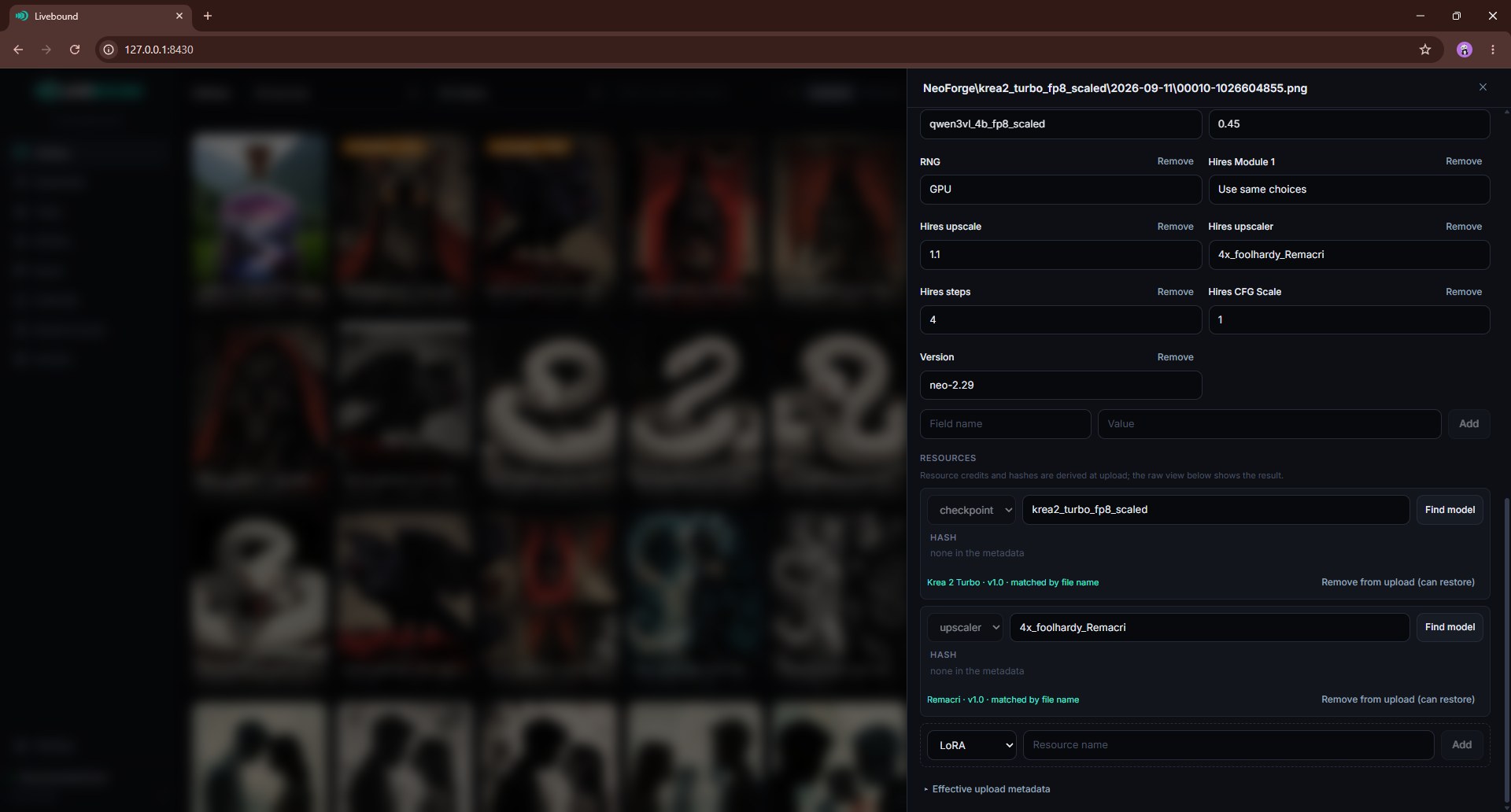
An image whose metadata never mentioned a model can still be credited. When you type a name in the image drawer, Livebound suggests matches from two places: the model files in your model folders, and models it has already identified on CivitAI. The second matters for a model you assigned once but never downloaded, which has no local file to match a name against.
Each suggestion carries the hash behind it. Choosing one records that identity rather than a spelling, so the resource is resolved straight away where CivitAI’s answer is already known. Typing a name that matches no suggestion still works and leaves the resource unresolved, which is what an unverified name is.
Review before publishing
Each post image can be reviewed for its effective resources. Unresolved resources are warnings, not automatic claims: Livebound can publish the image without pretending an unknown local name is a verified CivitAI resource.
Only resource types that support a strength show an editable weight.