
Duplicates and Trash
Review duplicate groups and use Livebound’s recoverable trash workflow.
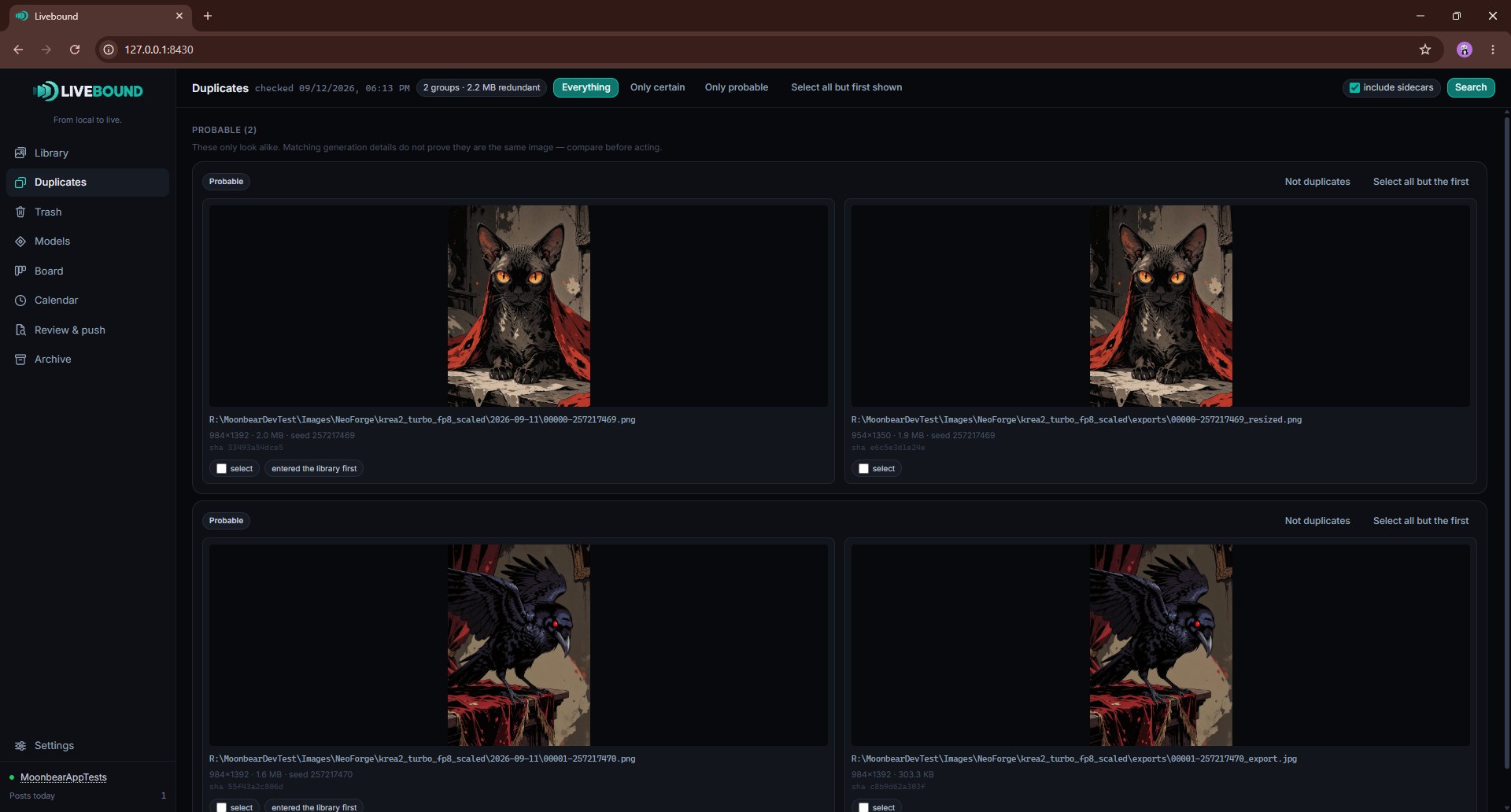
Livebound separates exact duplicates from images that only look very similar.
Duplicate types
Certain duplicates are based on exact file identity or exact decoded image pixels.
Probable duplicates use a perceptual image comparison. The similarity threshold is configurable, so probable groups are a review aid rather than an automatic deletion decision.
Groups that are not useful can be dismissed.
Choosing what to keep
Duplicate tools can select all but the preferred item in a group. By default, the earliest library entry is preferred.
If you configure a generation-time filename pattern and every file in a group matches it, Livebound can use the encoded time to decide which one came first. If the pattern is incomplete for the group, Livebound falls back to the library order.
Recoverable trash
The trash is its own section in the sidebar, not part of duplicate review. It appears once you have configured a trash folder in Settings and stays hidden until then, because a control for something that has not been set up is a control nobody can use.
Configure one global trash folder. There is one for the whole library rather than one per source folder: moving files may deliberately mean moving gigabytes, and that is better than scattering trash folders through every folder you generate into.
Images reach it from two places. The duplicate finder sends a group’s rejected files there, and the library sends whatever you have selected, which is the answer to the pictures you want out of the way without destroying them. Either way:
- files are moved, not deleted;
- their original locations are remembered, and restore puts each one back exactly there;
- the trash folder is excluded from future library scans, so nothing in it returns to the library;
- supported sidecar files can travel with the image.
Nothing here asks you to type a confirmation, on purpose. A move to the trash is reversible, and a dialog that demands typing for something reversible only teaches you to type past dialogs. Permanent deletion, below, is the one that asks.
An image a post holds is not moved to the trash. Before moving any other selected images, Livebound says which ones a post holds and leaves them in place.
Emptying the trash is a manual act outside Livebound. The application never deletes from it on its own, so a file that landed there by mistake stays available for as long as you leave it.
Permanent deletion
Permanent deletion is a separate explicit action. Livebound shows the impact and requires typed confirmation before deleting files.
Archive files are treated differently from normal source duplicates because a complete per-post archive can intentionally contain files that represent the same image.